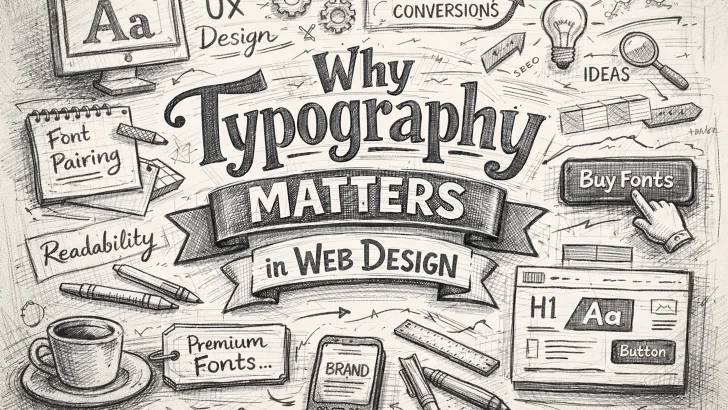
Discover why typography matters in web design. Learn how choosing the right fonts improves user experience, readability, and conversions for your website.
Introduction
Typography is one of the most powerful elements in web design, yet it is often underestimated. While colors, images, and layouts attract attention, it is typography that communicates your message clearly and effectively.
For businesses selling fonts or using typography as a core design element, understanding its impact is essential. The right font choices can enhance user experience (UX), strengthen brand identity, and significantly increase conversion rates.
In this guide, we’ll explore why typography matters in web design and how you can use it strategically to improve your website performance.
1. Typography Improves Readability
The primary function of typography is to make content easy to read. No matter how great your content is, users will leave your website if they struggle to read it.
Key factors affecting readability:
- Font size: Use at least 16px for body text
- Line spacing: Keep line height between 1.4–1.6
- Contrast: Ensure strong contrast between text and background
- Font choice: Avoid overly decorative fonts for long text
Sans serif fonts are generally preferred for digital screens because they are cleaner and easier to read. However, well-designed serif fonts can also perform well when used correctly.
👉 Tip: Use highly readable fonts for body text and reserve decorative fonts for headings or highlights.
2. Typography Creates Visual Hierarchy
Typography helps guide users through your content by creating a clear structure.
How to build hierarchy with typography:
- Use larger font sizes for headings (H1, H2, H3)
- Apply bold or weight variations to emphasize key points
- Use spacing and alignment to separate sections
A strong visual hierarchy makes it easier for users to scan your content, which is crucial since most visitors do not read every word.
When users can quickly find what they need, they are more likely to stay longer and engage with your website.
3. Typography Strengthens Brand Identity
Fonts play a crucial role in shaping how users perceive your brand.
Different types of fonts convey different emotions:
- Serif fonts → Traditional, trustworthy, professional
- Sans serif fonts → Modern, clean, minimal
- Script fonts → Elegant, creative, personal
- Display fonts → Bold, unique, attention-grabbing
Choosing the right typography ensures consistency across your website, marketing materials, and brand assets.
👉 For font-selling websites, this is especially important—your typography is your product showcase.
4. Typography Impacts User Experience (UX)
Good typography improves usability and accessibility, making your website more user-friendly.
UX best practices:
- Limit to 2–3 font families
- Ensure mobile responsiveness
- Avoid cluttered or overly complex font combinations
- Maintain consistent typography across all pages
Well-optimized typography reduces cognitive load, helping users process information faster.
5. Typography Can Increase Conversions
Typography is not just about design—it directly affects your business results.
Clear and readable text improves:
- Call-to-action (CTA) visibility
- User trust
- Content engagement
For example, a well-designed CTA button with strong typography can significantly increase click-through rates.
👉 Simple changes like improving font clarity or spacing can lead to better conversions.
6. Font Pairing: The Key to Professional Design
Combining fonts effectively is essential for a polished look.
Popular font pairing strategies:
- Serif + Sans Serif
- Bold heading + simple body text
- Decorative font + neutral font
Avoid using too many fonts, as this can make your design look inconsistent and unprofessional.
7. Performance and Web Fonts
Using too many font files can slow down your website.
Optimization tips:
- Use modern web font formats (WOFF2)
- Limit font weights and styles
- Consider variable fonts for flexibility
Fast-loading typography improves both UX and SEO rankings.
Conclusion
Typography is a critical component of web design that affects readability, user experience, branding, and conversions. By choosing the right fonts and applying best practices, you can create a website that not only looks great but also performs effectively.
If you are running a font-selling website, typography becomes even more important—it’s both your product and your marketing tool.
Investing in high-quality fonts and thoughtful typography design will give you a competitive edge and help your website stand out in a crowded digital space.